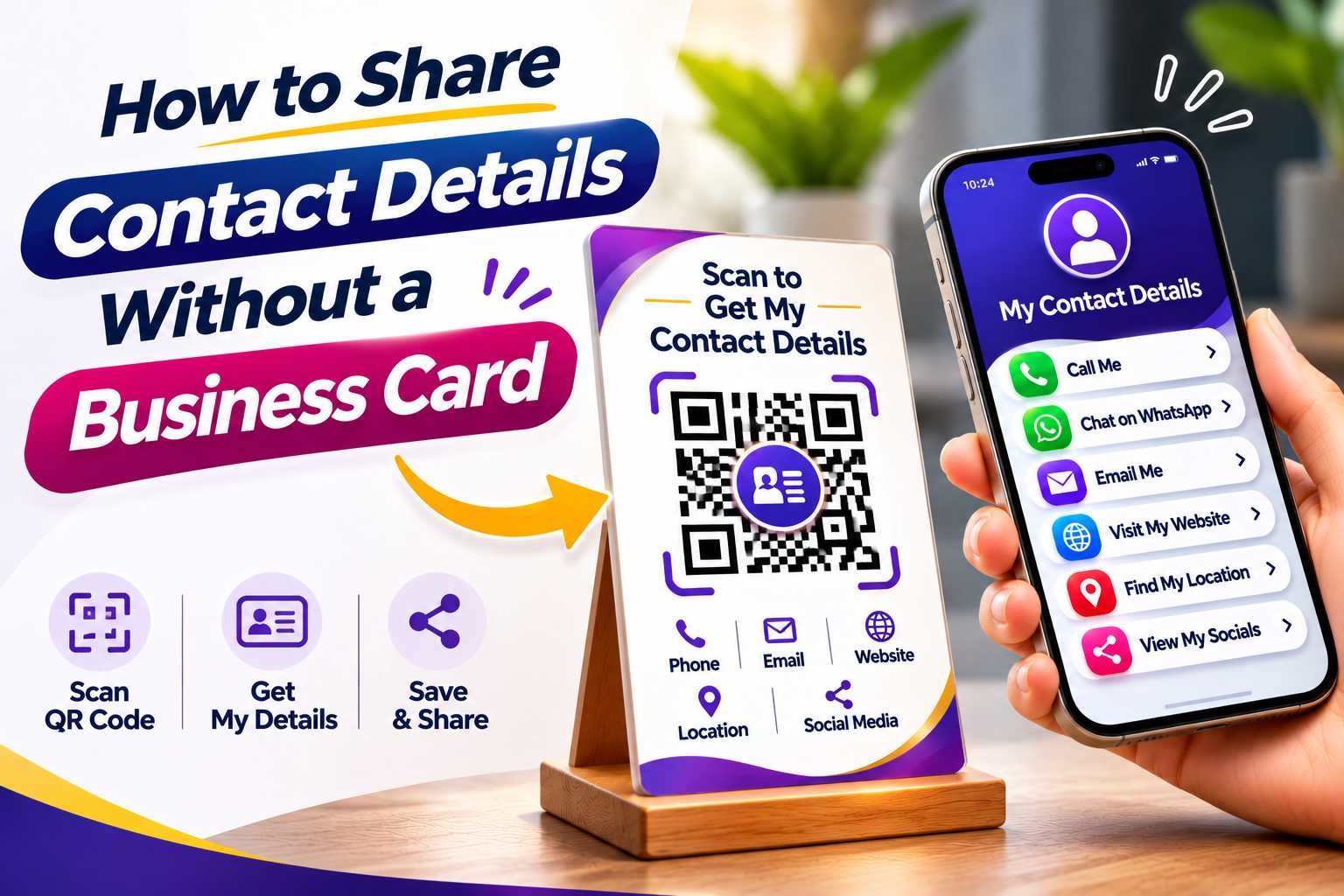
Traditional paper business cards are no longer the only way to share your contact details. Today, professionals and businesses can use digital business cards, QR codes, contact links and mobile-friendly profiles to instantly share phone numbers, WhatsApp details, email addresses, websites, social media profiles and business information.
Instead of carrying printed cards everywhere, you can provide one simple QR code or digital link that allows people to access all your important contact details from their smartphone. This approach is convenient, easy to update and especially useful for business owners, freelancers, sales professionals, consultants, entrepreneurs and service providers who regularly meet new customers.
How to Share Contact Details Without a Business Card
Business cards have traditionally been used to exchange names, phone numbers, email addresses and company details. However, modern customers increasingly use smartphones as their primary way to communicate with businesses and professionals. This has created faster and more convenient ways to exchange contact information without depending on a physical business card.
Instead of handing someone a printed card, you can share a digital business profile containing your phone number, WhatsApp link, email address, website, social media profiles and location. The recipient can open your information immediately on their phone and use the contact method they prefer.
Digital contact sharing is particularly useful when you unexpectedly meet a potential client and do not have a business card available. Rather than asking them to manually type your phone number or search for your social media profile, you can simply show them a QR code or send them one digital contact link.
What Contact Details Can You Share Digitally?
A digital contact profile can contain much more information than a traditional paper card. Instead of being limited by physical space, businesses and professionals can provide several communication options from a single digital page.
A well-organized profile can give customers everything they need to contact, follow or learn more about your business.
- Full name and professional designation
- Business or company name
- Mobile phone number
- WhatsApp contact link
- Email address
- Official business website
- Instagram profile
- Facebook page
- LinkedIn profile
- YouTube channel
- Google Business Profile
- Business address
- Google Maps location
- Product or service catalogue
- Appointment booking link
- Portfolio link
- Payment link
- Other important business links
Why Digital Contact Sharing Is More Convenient
Digital contact sharing reduces the number of steps required for someone to connect with you. Instead of manually entering a phone number, email address or website URL, the recipient can simply tap the appropriate button from your digital profile.
This makes the contact-sharing process faster during networking events, sales meetings, exhibitions, conferences, customer visits and everyday business interactions.
Use a Digital Business Card
A digital business card is one of the easiest alternatives to a traditional printed business card. It acts as an online profile where all your professional and business contact information can be organized in one place.
Instead of giving customers separate links for your WhatsApp, website, Instagram and email, you can provide one digital business card link. When someone opens the link, they can view your information and choose the action they want to take.
For example, a potential customer can open your digital card, tap your WhatsApp button to start a conversation, visit your website to learn more about your services and then follow your Instagram profile.
For businesses using VCRDS, a digital contact profile can become a central destination where important business details and communication options are presented together.
Share Your Contact Details Using a QR Code
A QR code makes digital contact sharing even faster. Instead of typing a URL, the other person can simply open their smartphone camera and scan your QR code.
The QR code can be connected to your digital business card, website, contact profile or multi-link page. Once scanned, the user can access your contact details immediately.
QR codes can also be displayed in many places, allowing businesses to share their contact information even when a staff member is not physically present.
A business QR code can be displayed on:
- Shop counters
- Office reception desks
- Posters
- Brochures
- Product packaging
- Restaurant tables
- Exhibition stalls
- Company vehicles
- Store windows
- Event banners
- Email signatures
- Social media graphics
- Digital presentations
- Invoices and receipts
Share One Digital Contact Link
If you are communicating through WhatsApp, email, SMS or social media, you can also share one digital profile link instead of sending multiple contact details separately.
For example, instead of sending your phone number, Instagram username, website URL and address in separate messages, you can send one link containing all this information.
This creates a cleaner and more professional experience for the recipient while making your details easier to access later.
Benefits of Sharing Contact Details Digitally
Digital contact sharing provides several advantages for businesses and professionals who regularly connect with customers, partners and potential clients.
Unlike printed cards, digital contact information can provide direct actions. A customer does not simply read your phone number; they can tap a button and call you. They do not simply see your Instagram username; they can directly open your profile.
This reduces friction between discovering a business and contacting it.
No Need to Carry Printed Cards Everywhere
One of the most common problems with traditional business cards is availability. You may forget to carry cards, run out during an event or meet a potential customer unexpectedly.
A digital business card remains available on your smartphone. You can display your QR code, send the link through WhatsApp or share it through another digital channel whenever required.
This means your contact information can always be available even when you do not have printed materials with you.
Contact Information Can Be Updated Easily
Printed business cards become outdated whenever important information changes. If your phone number, email address, website or office location changes, previously printed cards may contain incorrect details.
With a digital contact profile, information can usually be updated without printing an entirely new batch of cards.
For example, if your company launches a new website or changes its WhatsApp number, the profile can be updated so future visitors see the latest information.
Share More Than Basic Contact Information
A traditional card normally has limited space and typically contains only a name, phone number, email address, company name and website.
A digital contact page can contain far more useful information, including your portfolio, product catalogue, Google Maps location, social media pages, appointment booking link, customer reviews and multiple communication options.
This allows the digital profile to function as more than a contact card. It can become a small digital introduction to your business.
Reduce Manual Typing Errors
When contact information is exchanged verbally or printed on a card, customers may incorrectly type a phone number, email address or website URL.
Digital links and QR codes reduce this problem because users can access the information directly. They do not need to manually copy long URLs or remember usernames.
This is particularly useful for businesses where customers frequently need to open WhatsApp, visit a location or access an online service.
Digital Contact Sharing for Businesses and Professionals
Digital contact sharing can be useful for almost any professional or organization that regularly interacts with customers. It is especially valuable for people who depend on networking, referrals and direct customer communication.
A QR-based or link-based contact profile allows customers to quickly access relevant information even when they first discover the business offline.
Digital contact sharing is useful for:
- Business owners
- Entrepreneurs
- Freelancers
- Sales professionals
- Marketing professionals
- Consultants
- Real estate agents
- Insurance advisors
- Doctors and clinics
- Lawyers
- Teachers and trainers
- Photographers
- Designers
- Restaurants and cafés
- Hotels and resorts
- Salons and beauty professionals
- Retail stores
- Travel businesses
- Event organizers
- Service companies
Useful for Networking Events and Business Meetings
Networking events often involve meeting several people within a short period of time. Traditional business cards can easily be misplaced after the event, especially when attendees receive dozens of cards.
A digital profile gives the recipient an immediate way to access your contact information on their phone. You can simply show them a QR code or send the link directly.
This can also make it easier for the recipient to contact you later because your WhatsApp, email, website and social profiles are already available from one place.
Useful for Customer-Facing Businesses
Retail shops, restaurants, hotels, clinics and other customer-facing businesses can display their digital contact QR code in visible locations.
For example, a restaurant may provide links to WhatsApp, Instagram, its website and Google Maps from one QR code. A salon may provide contact information, appointment booking links and social media profiles.
The customer does not need to ask staff for every piece of information individually.
Steps to Share Your Contact Details Without a Physical Card
Creating a professional digital contact profile begins with deciding which information is most useful to your customers. Avoid adding unnecessary details simply because digital profiles provide more space.
The most important contact methods should be immediately visible so visitors can quickly understand how to communicate with you.
- Add your full name or business name.
- Add your professional designation.
- Upload your business logo or professional image.
- Add your phone number.
- Include a WhatsApp contact button.
- Add your professional email address.
- Add your official website.
- Include important social media profiles.
- Add your office or business location.
- Include Google Maps if customers visit your location.
- Add relevant product, portfolio or booking links.
- Generate a QR code for your digital profile.
- Test the profile on multiple mobile devices.
- Share your link or QR code whenever required.
Keep Your Digital Contact Profile Simple
Although digital profiles can contain many different links, too many options can make the page confusing. Prioritize the actions that are most important for your business.
For example, a local service business may place Call, WhatsApp and Location buttons near the top. A photographer may prioritize Instagram and portfolio links, while a consultant may focus on LinkedIn, email and appointment booking.
The profile should be designed around what your customers are most likely to do after receiving your contact information.
Use Clear Action Buttons
Instead of showing plain URLs, use clear labels that explain what happens when users tap them.
Useful button labels can include:
- Call Now
- Chat on WhatsApp
- Visit Our Website
- Follow on Instagram
- View Our Location
- Send an Email
- View Our Services
- Book an Appointment
- View Our Portfolio
- Leave a Review
Clear calls to action make the digital profile easier to understand and improve the overall mobile experience.
Is a Digital Business Card Better Than a Paper Business Card?
Both traditional and digital business cards can be useful, but they serve slightly different purposes. A printed business card provides a physical reminder of a meeting, while a digital business card provides direct access to communication tools and online information.
For professionals who frequently interact with mobile-first customers, digital contact sharing can provide significant advantages.
Digital cards are particularly effective when you need to share multiple links, update details regularly or allow customers to immediately contact you.
Traditional Business Card
- Requires printing
- Has limited physical space
- Can be lost or damaged
- Details cannot be changed after printing
- Usually contains basic contact information
- Users may need to manually type contact details
Digital Business Card
- Can be shared using a link or QR code
- Can contain several contact methods
- Works well on smartphones
- Can include social media profiles
- Can link directly to WhatsApp
- Can contain maps and websites
- Can include portfolios or catalogues
- Information may be updated digitally
- Does not require users to manually type every detail
The best choice depends on your business requirements. Many professionals also use both formats together by adding a QR code to their printed card. This combines the physical convenience of a traditional card with the interactive capabilities of a digital contact profile.