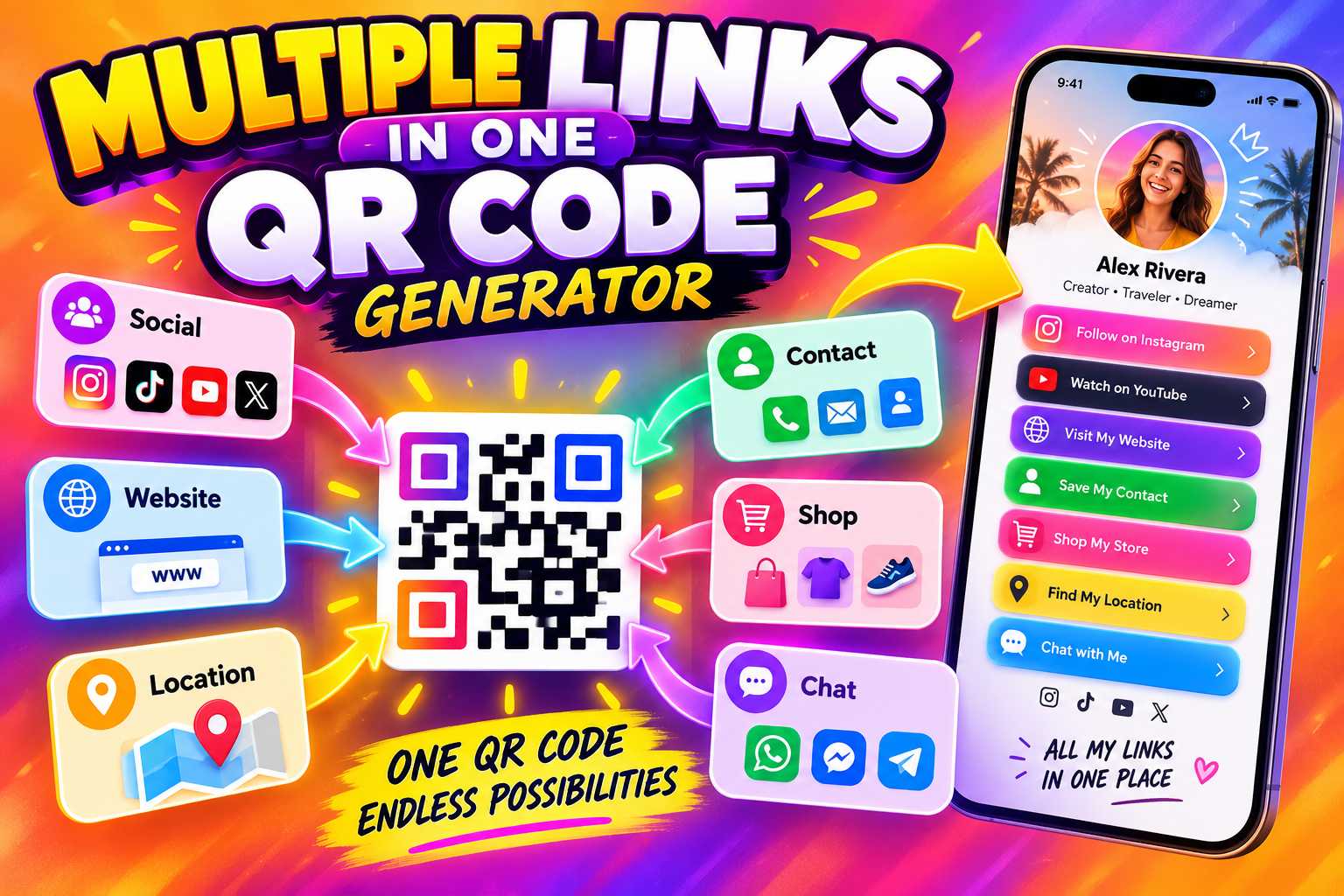
Sharing separate QR codes for WhatsApp, Instagram, websites, Google Maps, product catalogues and other business links can make your marketing materials look crowded. A multiple-links-in-one-QR-code generator solves this problem by connecting one QR code to a mobile-friendly page that contains all your important business links in one place.
With a multi-link QR code, customers can scan once and choose whether they want to call your business, open WhatsApp, visit your website, follow your social media profiles, view your location or explore your products and services. This makes one QR code useful for visiting cards, brochures, posters, packaging, shop counters, exhibitions and many other online and offline marketing applications.
What Is a Multiple Links in One QR Code Generator?
Multiple Links in One QR Code Generator for Business
A multiple links in one QR code generator allows businesses to connect several digital destinations to one scannable QR code. Instead of creating separate QR codes for your website, WhatsApp, Instagram, Facebook or Google Maps, you can organize all these links on one digital profile or multi-link page.
When a customer scans the QR code, they are taken to this central page. From there, they can choose the action they want to take. They may start a WhatsApp conversation, call the business, visit the website, check Instagram, open Maps or explore other available links.
This approach creates a cleaner and more convenient customer experience because one QR code can become the central access point for your complete digital business presence.
How Does a Multi-Link QR Code Work?
A standard QR code normally contains one destination, such as a website URL. A multi-link QR code works differently because the QR code usually points to a central landing page or digital business profile containing multiple buttons.
For example, after scanning one QR code, a customer may see options such as:
- Call Now
- WhatsApp Us
- Visit Website
- Follow on Instagram
- View Facebook
- Find Us on Google Maps
- View Products
- Read Customer Reviews
- Send Email
The customer can then choose the destination most relevant to their needs.
One QR Code Instead of Many Separate Codes
Using multiple separate QR codes can create confusion. Customers may not know which QR code they should scan, especially when several codes are placed close together on the same poster or brochure.
One multi-link QR code keeps the design simple. The customer scans once and then receives all available choices from one organized page.
This makes it especially useful for businesses that communicate with customers across several digital platforms.
Connect Your Complete Business Presence
The links you add should depend on how customers normally interact with your business. You do not need to add every platform you use. Focus on the channels that help customers learn about, contact or visit your business.
A small retail store may prioritize WhatsApp, Instagram and Maps, while a consultant may focus on website, LinkedIn, email and appointment booking.
Points
You can add links such as:
- WhatsApp
- Phone number
- Official website
- Instagram
- Facebook
- LinkedIn
- YouTube
- Google Maps
- Google Business Profile
- Google Reviews
- Online store
- Product catalogue
- Service page
- Portfolio
- Appointment booking
- Enquiry form
- Email
- Payment page
- Menu
- Downloadable brochure
Can WhatsApp, Instagram and Website Be Added Together?
Yes. These are among the most common links businesses can organize under one QR code.
A customer can scan the code and then decide whether they want to message the business through WhatsApp, explore visual content on Instagram or visit the official website for more detailed information.
Providing these choices in one place can make the customer journey simpler.
Step 1: Choose a Multi-Link QR Code Platform
The first step is choosing a QR code or digital business card platform that supports multiple links under one profile.
Do not choose only based on the appearance of the QR code. Check whether the platform provides the customer actions your business requires.
Useful features may include WhatsApp, social media, website links, Maps, QR code generation and editable profile information.
Step 2: Create Your Business Profile
Add your business identity before inserting individual links. Your business name, logo, profile image and short description should help customers immediately recognize the profile after scanning.
A customer should know within a few seconds whose QR code they scanned and what the business provides.
Points
Start with:
- Business name
- Business logo
- Owner or contact name
- Business category
- Short description
- Contact number
- Email address
- Business location
Step 3: Add Multiple Business Links
Add the most useful links one by one. Arrange them according to customer importance rather than randomly.
For example, if WhatsApp generates most of your enquiries, place WhatsApp near the top. If your business depends on customers visiting a physical location, the Maps button should also be easy to find.
Step 4: Generate Your QR Code
After completing the business profile, generate a QR code connected to that profile.
The QR code becomes the main gateway to all the links you have added. Instead of printing multiple codes, you only need to display this single code.
Step 5: Test Every Link Before Publishing
Always test the QR code before printing or distributing it.
Scan it using different smartphones where possible and make sure the profile opens correctly. Then test every button individually.
Check that:
- WhatsApp opens the correct number
- Phone calls use the correct number
- Website links open correctly
- Instagram opens the correct profile
- Google Maps shows the correct location
- Email links work
- Product and service pages load properly
This helps prevent customer frustration and lost enquiries.
Keep Marketing Materials Clean and Professional
A poster containing five or six different QR codes can quickly become difficult to understand. A single QR code reduces visual clutter while still giving customers access to several destinations.
This allows designers to use more space for branding, product images, headlines and important promotional content.
Make Customer Communication Faster
Customers have different communication preferences. Some want to call, some prefer WhatsApp and others may want to review your website before contacting you.
One multi-link QR code supports all these behaviours from a single scan.
Instead of forcing customers into one communication channel, the business gives them several options.
Reduce the Need for Multiple Printed QR Codes
If every platform has its own QR code, businesses may need to update several designs whenever something changes.
A centralized digital profile can make management simpler. Where the chosen platform allows links to be edited, businesses can update the information on the profile without necessarily changing the QR code already displayed on marketing materials.
Connect Offline Marketing With Digital Channels
Multi-link QR codes are especially useful because they connect physical marketing with online business platforms.
Someone may discover your company through a visiting card, poster, brochure or product packaging. After scanning the QR code, that customer can continue the journey through WhatsApp, websites, Maps or social media.
This creates a direct bridge between offline discovery and digital interaction.
Best Places to Display One QR Code for Multiple Links
A multi-link QR code can be placed anywhere customers are likely to need additional information about your business.
The location should make sense in the customer journey. For example, a retail store can place it at the checkout counter, while a consultant may print it on a visiting card.
Points
Suitable placements include:
- Visiting cards
- Digital business cards
- Store counters
- Reception desks
- Brochures
- Flyers
- Posters
- Banners
- Product packaging
- Product labels
- Restaurant tables
- Menus
- Hotel reception areas
- Invoices
- Product catalogues
- Exhibition stalls
- Event materials
- Thank-you cards
- Service vehicles
- Appointment cards
Add a Clear Call to Action Near the QR Code
A QR code should not appear without context. Customers should understand why they should scan it.
A short message can clearly explain the benefit.
Points
You can use:
- Scan to Connect With Us
- Scan for All Our Links
- Scan to Call, WhatsApp & Visit Our Website
- Scan Our Digital Business Card
- Scan for Business Details
- Scan to Explore Our Services
- One Scan. All Our Links.
Why Small Businesses Can Benefit From One QR Code
Small businesses often manage customer communication through several channels without having a large marketing team. WhatsApp may handle enquiries, Instagram may showcase products, Google Maps may help customers find the business and the website may provide detailed information.
Managing separate QR codes for every platform is unnecessary when one central QR code can provide all these options.
This approach helps small businesses provide a professional digital experience while keeping physical marketing materials simple.
Multi-Link QR Codes for Retail Businesses
Retail businesses can use one QR code to provide customers with access to WhatsApp, product catalogues, Instagram, store location, website and reviews.
A customer who scans from a shop counter can then continue interacting with the business even after leaving the store.
Multi-Link QR Codes for Restaurants
Restaurants can connect customers to menus, Maps, reservation contact numbers, WhatsApp, Instagram and customer review pages through one QR profile.
The same QR code can be placed on tables, bills, takeaway packaging and promotional posters.
Multi-Link QR Codes for Freelancers and Consultants
Freelancers and consultants can use a multi-link QR code as a digital networking tool.
The QR profile can contain professional contact information, WhatsApp, website, portfolio, LinkedIn and appointment links. This makes it easier to share complete professional information during meetings and events.
What Is a Static QR Code?
A static QR code contains fixed information directly inside the code. It is suitable when the destination is unlikely to change.
For example, a business may create a static QR code for a permanent website URL.
However, if the destination changes, a new QR code may need to be created and printed.
What Is a Dynamic or Editable QR Experience?
A dynamic or profile-based QR solution generally connects customers to a managed online destination rather than storing every business detail directly inside the QR code.
Where the platform supports editing, businesses can update the links or content behind that profile while continuing to use the same QR code.
This can be useful when businesses frequently update social links, campaigns, product information or contact details.
Which Is Better for Multiple Business Links?
For a single permanent destination, a static QR code can be sufficient.
For businesses that need WhatsApp, website, social media, Maps and several other links together, a profile-based multi-link QR solution is generally more practical because the links can be organized in one customer-friendly interface.
Prioritize the Most Important Customer Actions
Do not place links randomly. The strongest action should appear first.
If most customers contact you through WhatsApp, that button should receive prominent placement. If your website is responsible for bookings or purchases, prioritize the website.
The structure should reflect how customers actually interact with your business.
Use Clear Button Names
Customers should immediately understand what each button does.
Use simple labels such as:
- Call Us
- WhatsApp
- Visit Website
- View Instagram
- Get Directions
- View Products
- Book Appointment
- Leave a Review
Avoid vague labels such as “Click Here” when a more descriptive action can be used.
Keep the Page Mobile Friendly
Almost every customer scanning a QR code will be using a mobile device. The destination page should therefore be designed for smartphones.
Buttons should be large enough to tap, text should be readable and the page should not require complicated navigation.
Do Not Add Unnecessary Links
A multi-link QR code does not mean you should add every account your business has ever created.
Too many options can overwhelm customers.
Focus on active channels that support communication, trust, customer service or conversions.