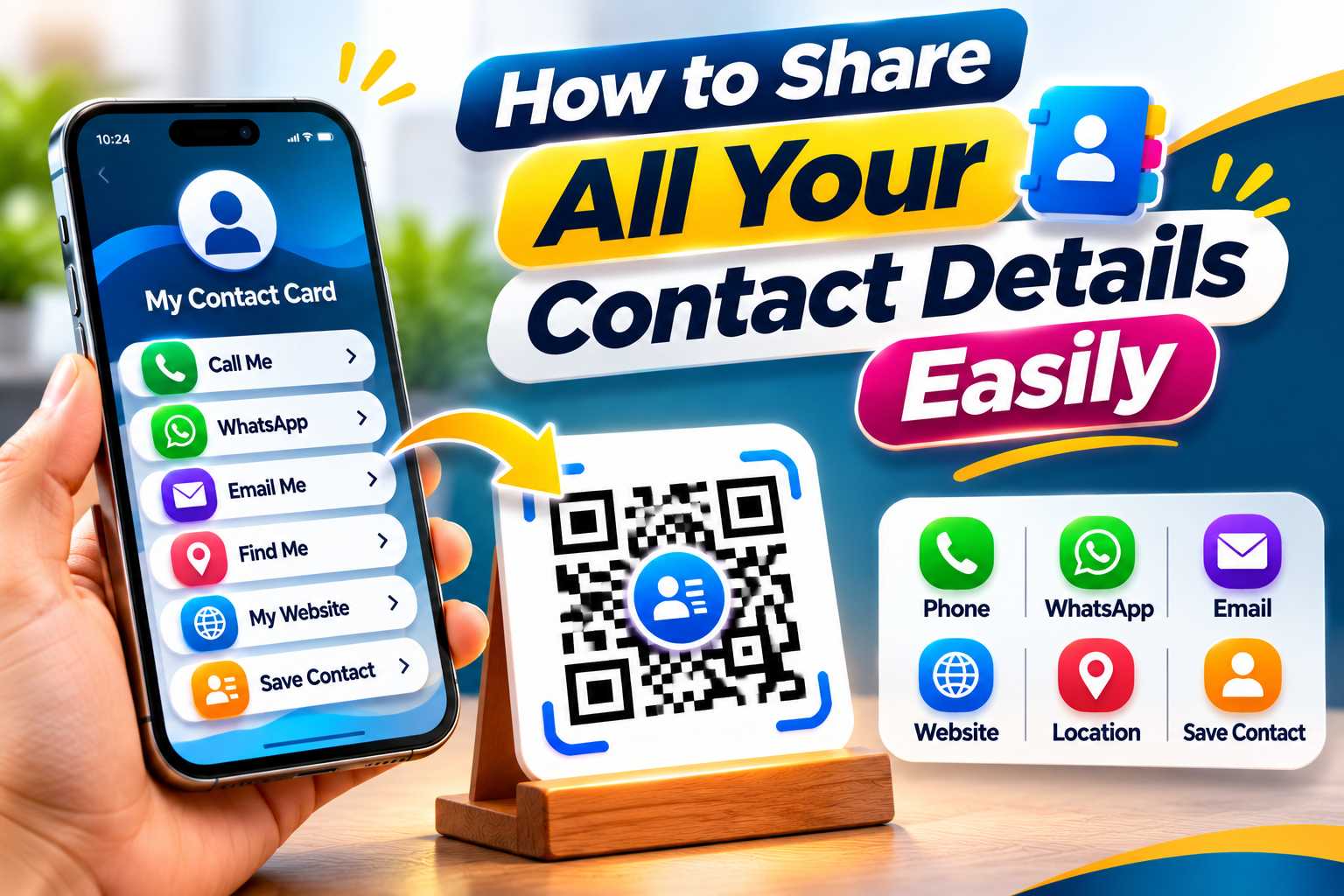
Sharing your contact details should be simple, fast and convenient. Instead of sending your phone number, WhatsApp, email, website, social media profiles and location separately, you can organize all your important business information in one digital profile and share it using a single link or QR code.
This approach is especially useful for business owners, freelancers, consultants, sales professionals and local businesses that regularly share several contact channels with customers. A digital business card or multi-link profile can help people call, message, email, visit your website, open Maps or follow your social media accounts from one place. This guide explains the easiest ways to share all your contact details and how to create a more professional digital contact experience.
How to Share All Your Contact Details Easily
Businesses and professionals often communicate through several different channels. You may have a phone number, WhatsApp account, email address, website, Instagram profile, Facebook page, LinkedIn profile and business location.
Sharing every detail individually can become inconvenient.
For example, if a customer asks for your business details, you may need to send your phone number first, followed by your website, WhatsApp number, social media profiles and Maps location.
A better solution is to organize all these details in one digital place.
Customers can then access the information they need without receiving several separate messages.
What Contact Details Can You Share Together?
A digital contact profile can bring together most of the important ways customers interact with you or your business.
You can include:
Full name
Business name
Designation
Phone number
WhatsApp
Email address
Website
Instagram
Facebook
LinkedIn
YouTube
Google Maps
Business address
Products
Services
Portfolio
Appointment booking
Enquiry link
Customer reviews
One Profile Can Replace Multiple Separate Messages
Instead of sending several links one by one, you can share one digital profile containing everything.
The recipient opens the profile and chooses whether to call, send a WhatsApp message, visit your website, view your social media or find your location.
This makes contact sharing easier for both the sender and the recipient.
Create One Digital Profile for Your Contact Information
A digital business card is one of the easiest ways to organize and share several contact details.
Unlike a traditional printed card, a digital business card can provide interactive buttons that customers can tap directly from their smartphones.
Instead of manually typing a phone number or website, the user can simply select the appropriate action.
What Can a Digital Business Card Include?
A digital business card can contain:
Name and profile photo
Company logo
Business name
Designation
Phone number
WhatsApp
Email
Website
Social media
Location
Products or services
Portfolio
Booking link
Enquiry options
The most important information should appear first so customers can quickly find the action they need.
Why Digital Business Cards Are More Convenient
A printed business card is useful for physical networking, but a digital business card gives recipients more ways to interact.
They can immediately call, message, visit your website or access your social profiles without manually entering the information.
This makes a digital profile useful for both in-person and online networking.
Use One Link Instead of Sending Multiple URLs
One of the simplest ways to share all your contact details is through a single profile URL.
This link can open your digital business card or multi-link business profile.
Instead of sending several different links, you only need to share one.
Where Can You Share Your Contact Link?
You can share it through:
WhatsApp
SMS
Email
Instagram bio
Facebook profile
LinkedIn
Telegram
Email signature
Website
Online advertisements
Business directories
Digital proposals
Use a Short and Easy-to-Recognize Link
A simple profile link is easier to share verbally, through chat or inside digital marketing materials.
Where possible, use a professional-looking profile URL rather than a very long and complicated address.
This can make your digital contact profile easier to recognize and remember.
Turn Your Digital Profile Into a Scannable QR Code
A QR code is useful when you want people to access your contact details from printed or physical materials.
The QR code can point to your digital business card or multi-link profile.
When someone scans the code, they can access all your contact information from their phone.
Where Can You Use Your Contact QR Code?
Place it on:
Business cards
Visiting cards
Posters
Brochures
Flyers
Product packaging
Shop counters
Reception desks
Exhibition displays
Event badges
Service vehicles
Invoices
Catalogues
Appointment cards
Thank-you cards
Add a Clear Call to Action
Do not display a QR code without explaining what it does.
Use a short message beside it so customers understand why they should scan.
Examples include:
Scan to Save My Contact
Scan to Connect
Scan for All My Details
Scan Our Digital Business Card
Scan to Call, WhatsApp & Visit Our Website
One Scan. All My Contact Details.
Combine Your Main Communication Channels
For many businesses, the most important contact details are phone, WhatsApp, email and website.
These channels can be placed together inside one digital profile so customers can choose how they want to communicate.
For example, someone needing a quick answer may choose WhatsApp, while another customer may prefer email or visit your website first.
Make Each Contact Method Easy to Use
Every contact method should be interactive where possible.
Instead of showing only a phone number, provide a call button. Instead of displaying a WhatsApp number as plain text, provide a WhatsApp action.
The easier the interaction, the less effort customers need to make.
Prioritize the Most Important Contact Method
If most of your customer enquiries come through WhatsApp, place WhatsApp near the top.
If phone calls are more important, prioritize the call button.
The profile should reflect how customers normally communicate with your business.
Connect All Your Social Accounts
Businesses often use multiple social media platforms to showcase their products, services, work and customer activity.
Instead of sending social media usernames individually, add them to your digital profile.
You can include:
Instagram
Facebook
LinkedIn
YouTube
X
Other relevant business channels
Only Add Active Social Profiles
Avoid adding accounts that are outdated or rarely used.
Inactive social profiles can reduce trust and make your digital profile feel unnecessarily crowded.
Focus on platforms that provide useful information and are regularly maintained.
Add Your Address and Google Maps Link
For businesses with a physical location, customers often need directions in addition to phone and online contact details.
Adding a Maps link to your digital profile allows customers to open navigation directly.
This can be especially useful for local stores, restaurants, salons, clinics, offices, hotels and service centres.
Keep Your Location Information Accurate
Make sure your address and Maps link point to the correct location.
Incorrect geographic information can lead customers to the wrong place and create unnecessary frustration.
The address displayed on your digital profile should also match your official business information where applicable.
Step 1: Collect All Your Contact Details
Start by gathering the information you want to share.
Check every phone number, email address, website URL and social profile before adding it.
Prepare:
Full name
Business name
Job title
Phone number
WhatsApp
Email
Website
Social media URLs
Address
Maps link
Portfolio
Products or services
Booking link
Step 2: Create Your Digital Profile
Use a digital business card or multi-link platform to create one profile containing your details.
Add your name, logo or photo and a short description explaining what you or your business provides.
Step 3: Arrange Details by Importance
Place the actions people use most near the top.
For example, a local service provider may prioritize phone, WhatsApp and Maps, while a freelancer may prioritize portfolio, email and LinkedIn.
Step 4: Create a Shareable Link or QR Code
Once the profile is ready, use its link for online sharing and a QR code for printed materials.
This gives you both digital and offline ways to share the same contact profile.
Step 5: Test Everything
Open every contact button and verify that it works.
Test your call link, WhatsApp, email, website, social accounts and Maps location before sharing the profile publicly.
Customize Your Profile Based on Your Work
Different professionals need different types of contact information.
The profile should focus on what helps customers or professional connections reach you most effectively.
Business Owners:
Share phone, WhatsApp, email, website, Maps and social media.
Freelancers:
Share portfolio, WhatsApp, email, website and LinkedIn.
Sales Professionals:
Share phone, WhatsApp, email, LinkedIn and company website.
Consultants:
Share email, website, LinkedIn, booking and contact details.
Real Estate Professionals:
Share phone, WhatsApp, property listings, website and social profiles.
Photographers and Designers:
Share portfolio, Instagram, website, email and enquiry details.
Retail Businesses:
Share WhatsApp, product catalogue, Instagram, website and location.
Restaurants and Cafes:
Share phone, WhatsApp, menu, Maps, social media and booking information.
Save Time for You and Your Customers
Repeatedly sending your phone number, website, Instagram, WhatsApp and location can take unnecessary time.
One profile reduces this process to a single link or scan.
The customer can choose the information they need without asking you for additional details.
Reduce Typing Errors
When someone manually enters a phone number, email address or website URL, typing mistakes can happen.
Direct buttons and links reduce the need for manual entry.
This makes it easier for people to reach the correct destination.
Create a More Professional Experience
A well-organized digital contact page presents your information in a consistent format.
Instead of sending several unconnected links in a chat, you can provide one professional contact profile containing your business identity and important actions.
Keep Your Contact Information Simple and Accurate
A contact-sharing profile becomes less useful when it contains outdated or unnecessary information.
Review the profile regularly and make sure every detail is correct.
Avoid:
Incorrect phone numbers
Wrong WhatsApp numbers
Old email addresses
Broken website URLs
Inactive social accounts
Incorrect Maps locations
Too many unnecessary links
Unclear button labels
Missing business identity
A profile that is difficult to use on mobile
Sharing without testing
Do Not Make Customers Search for Important Actions
Important contact options should be visible immediately.
If customers need to scroll through many social links before finding your phone or WhatsApp button, the profile may be poorly organized.
Keep high-priority contact methods near the top.
Connect People With Your Official Digital Presence
A digital contact profile can help users reach your official website, contact information, social media and location without searching manually.
The information should remain consistent with your main website and other official business profiles.
AEO-Friendly Contact Information
Your profile should clearly answer common questions such as:
How can I call this business?
Can I contact them on WhatsApp?
What is the official website?
What is the email address?
Where is the business located?
Which social media profiles are official?
How can I book an appointment?
Clear labels make these answers easy for visitors to find.
GEO-Friendly Contact Information
If you operate locally, include your correct business address, Maps link and genuine service location.
This helps customers understand where your business operates and how they can reach you.
Avoid adding unrelated locations only for keyword purposes. Your geographic information should accurately represent the business.