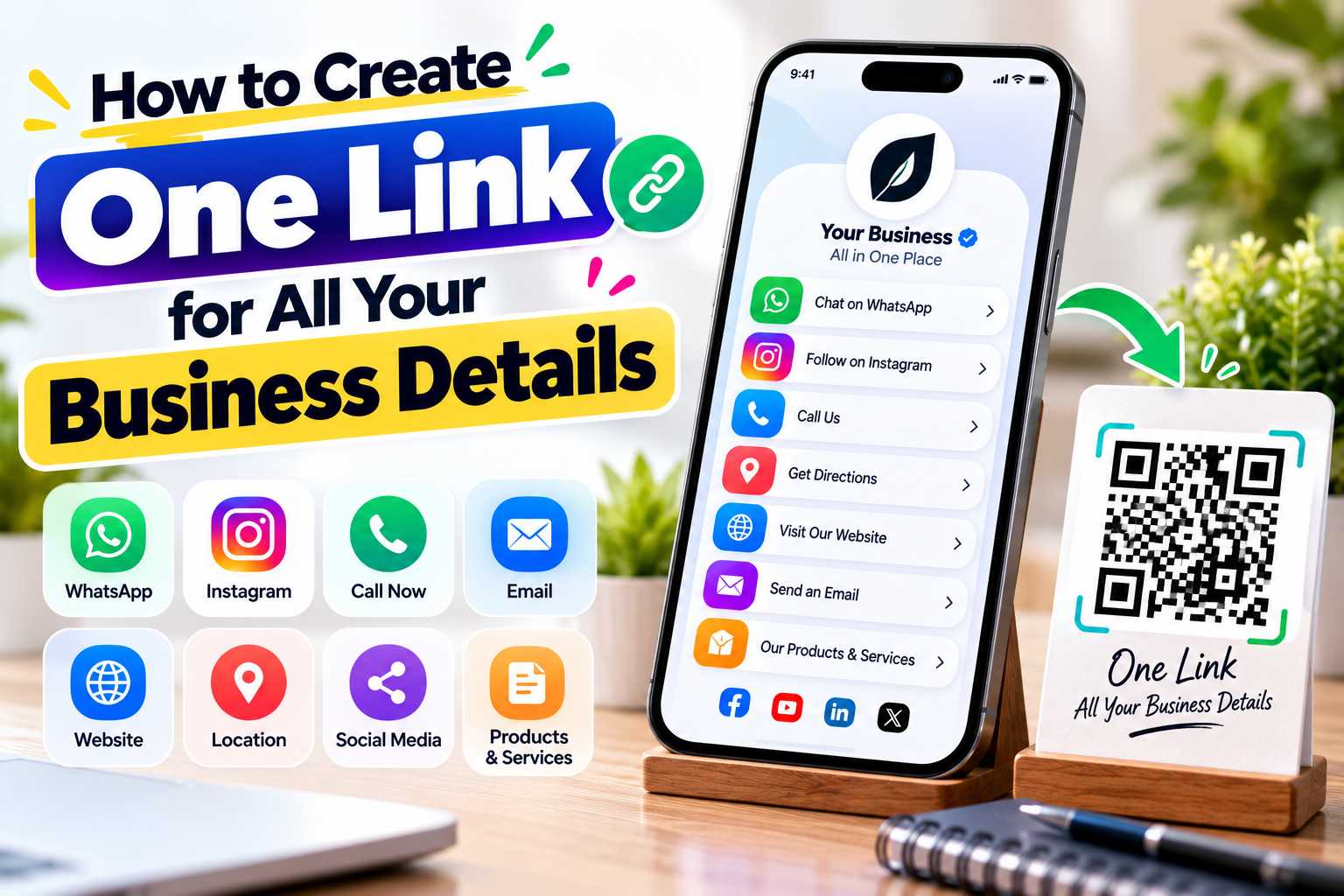
Customers often need different information before contacting a business, including a phone number, WhatsApp, website, Instagram profile, location, services and other useful links. Sharing every detail separately can make communication confusing. Creating one link for all your business details provides customers with a single digital destination where they can quickly find the information they need.
A single business link can function like a digital business card. Business owners, freelancers, consultants, retailers and service providers can use it to organize contact details, social media, websites, Maps and customer enquiry options in one mobile-friendly profile. The same link can also be shared through WhatsApp, social media bios, email signatures and QR codes used on visiting cards, posters, brochures and other marketing materials.
How to Create One Link for All Your Business Details
A business today may have information distributed across several different platforms. Customers may need your phone number for calls, WhatsApp for enquiries, Instagram for recent updates, your website for detailed information and Google Maps to find your physical location.
When all these details are shared separately, customers may have to open several messages or search for the business on different platforms. A single business link simplifies this by bringing the most important information together on one digital page.
The customer opens one URL and can choose the action they want. They may call the business, start a WhatsApp conversation, visit the website, follow social media accounts, view services or open the business location.
How Does a Single Business Link Work?
A single business link normally opens a mobile-friendly digital profile containing buttons or sections for different business actions. Instead of creating separate URLs for every customer interaction, businesses use one main profile link as the starting point.
For example, after opening the link, a customer may see options such as Call Now, WhatsApp Us, Visit Website, View Instagram, Get Directions and Explore Services.
This makes the customer journey easier because the person does not have to manually search for each platform.
One Link Can Work Like a Digital Visiting Card
A traditional visiting card usually contains a limited amount of information because of its physical size. A digital business profile can provide much more information without making the experience difficult to use.
It can contain your basic contact information while also connecting customers with your website, WhatsApp, social media, location and other digital channels.
This allows one business link to become a central digital identity that can be shared repeatedly.
Add All Important Customer Contact Points
The information included in your business link should depend on your industry and how customers normally interact with you. A retail store may need WhatsApp, Instagram, Maps and product information, while a consultant may prioritize email, LinkedIn, website and appointment booking.
The objective is not to add every possible link. Instead, include the details that help customers understand your business and take the next step.
Points
You can include:
- Business name
- Business logo
- Your name and designation
- Profile image
- Mobile number
- WhatsApp number
- Email address
- Official website
- Instagram
- Facebook
- LinkedIn
- YouTube
- Google Maps location
- Business address
- Products
- Services
- Portfolio
- Product catalogue
- Appointment booking
- Enquiry form
- Customer review link
- Payment link where required
Place Your Most Important Links First
The order of links matters. Customers should immediately see the actions they are most likely to use.
For example, if most enquiries come through WhatsApp, place WhatsApp close to the top of the page. If you operate a physical store, your phone number and location may need greater visibility.
A digital business profile should help customers make decisions quickly rather than forcing them to search through a long list of links.
Step 1: Choose a Digital Business Card Platform
Start by choosing a platform that allows multiple business details to be organized under one URL. A digital business card or business profile platform is usually suitable because it is designed to combine contact information, links and customer actions.
Before creating your profile, check whether the platform supports the features you actually need, such as WhatsApp, QR codes, websites, Maps, social media, products or contact saving.
Step 2: Add Your Business Name and Branding
Your business identity should be immediately recognizable when customers open the link. Add your correct business name, logo and a short description explaining what the business provides.
Keep the description concise but informative. Customers should understand your service or business category without reading several long paragraphs.
Step 3: Add Phone, WhatsApp and Email
Your primary contact options should be easy to find. Add your correct phone number and email address, and include a WhatsApp button when customers regularly use WhatsApp for enquiries.
Check every contact detail carefully before publishing because incorrect phone numbers or links can result in lost customer enquiries.
Step 4: Connect Website and Social Media
Add your official website and the social media platforms that are genuinely useful to customers.
Instagram may be important for businesses that depend on visual content, while LinkedIn may be more important for consultants and B2B professionals. YouTube can be useful for businesses that publish demonstrations or educational videos.
Avoid adding inactive or unnecessary social profiles.
Step 5: Add Location, Products and Services
If customers visit your physical location, include your correct address and Maps link. This is particularly useful for local stores, restaurants, salons, clinics, hotels and service centres.
Businesses can also add products, service descriptions, portfolios or catalogues where the platform supports them.
Step 6: Test Your Business Link
Before sharing the link publicly, open it on different mobile devices and test every button.
Confirm that calls open the correct phone number, WhatsApp opens the correct chat, Maps displays the correct location and all social media and website links work properly.
Testing the complete customer journey helps prevent broken links and incorrect information.
Share One URL Instead of Multiple Business Links
Once your profile is ready, you no longer need to repeatedly send individual links whenever a customer asks for your business information.
You can share the single URL through WhatsApp, SMS, email or other communication channels. The customer opens it once and chooses the information they need.
This is particularly useful for business owners and sales professionals who frequently introduce their company to new customers.
Add It to Your Instagram and Social Media Bio
Social media bios usually provide limited space for external links. Using one business profile link allows you to send followers to several important destinations without filling the bio with multiple URLs.
For example, an Instagram visitor could open your single link and then choose to visit your website, WhatsApp your business, view your location or browse your services.
Use It in Your Email Signature
A business link can also be included in professional email signatures. Instead of displaying several different URLs below every email, you can provide one clear option such as View My Digital Business Card or Connect With Our Business.
This keeps the email signature cleaner while still giving recipients access to your wider digital presence.
Use a QR Code for Offline Business Sharing
One of the most useful ways to share a single business link is through a QR code. The QR code can be connected directly to your business profile URL.
When customers scan it using their smartphone, the digital business profile opens and gives them access to your phone number, WhatsApp, website, social media, location and other information.
This creates a simple connection between offline marketing and your online business presence.
Where Can You Place Your Business QR Code?
Businesses can place the QR code wherever customers interact with their brand physically.
Suitable locations include:
- Visiting cards
- Shop counters
- Reception desks
- Flyers
- Brochures
- Posters
- Banners
- Product packaging
- Product catalogues
- Restaurant tables
- Exhibition stalls
- Invoices
- Appointment cards
- Thank-you cards
- Service vehicles
Use a Clear Message Beside the QR Code
Do not place a QR code without explaining its purpose. A short call to action tells customers what they will receive after scanning.
Examples include:
- Scan to Connect With Us
- Scan for All Business Details
- Scan Our Digital Business Card
- Scan to Call, WhatsApp & Visit Our Website
- Scan to View Our Business Profile
This can improve clarity and encourage more useful customer interaction.
Make Customer Communication Faster
Small businesses often depend heavily on direct communication. Customers may want to check prices, ask about availability, request an appointment or confirm a location before visiting.
One business link makes these actions easier by providing several communication options from the same page.
A customer who prefers WhatsApp can message you, while another customer can call or visit your website.
Create a Professional Digital Presence
Sending several separate links through WhatsApp or email can make business information appear scattered. A structured digital business profile presents the same details in a more organized format.
A business can use its logo, profile image, contact information and relevant links to create a consistent presentation.
This can be especially helpful for freelancers, consultants and small businesses that want a professional digital identity without complicated sharing methods.
Reduce Repeated Sharing
Business owners often send the same website URL, phone number, location and social media links repeatedly.
With one central business link, the business only needs to share a single URL. Customers can then find the remaining details themselves.
This can save time during enquiries and make the communication process more consistent.
Give Customers Multiple Ways to Connect
Every customer has a different communication preference. Some prefer calls, others prefer WhatsApp, while others want to explore a website before contacting the business.
A single business profile supports these different behaviours by giving customers multiple contact options without requiring several separate links.
Keep the Page Simple and Mobile Friendly
Most customers will access your business link from a smartphone. The page should therefore load quickly and display correctly on mobile screens.
Use readable text, clearly labelled buttons and sufficient spacing. Important customer actions should be easy to tap without requiring complicated navigation.
Use Consistent Business Information
Your business name, address, phone number and website should be accurate and consistent with the information customers see on your official website and other important business profiles.
Consistency helps customers recognize that they are viewing the correct company and reduces confusion when they move between platforms.
Avoid Adding Too Many Unnecessary Links
One link for all your business details does not mean every possible online account should be included.
Inactive social media accounts or irrelevant external links can distract customers from important actions.
Prioritize the platforms that contribute directly to customer communication, trust or business conversion.
Update Your Information Regularly
Check your digital business profile periodically. Phone numbers, addresses, websites, services and social media accounts can change over time.
Keeping this information current helps ensure customers always receive accurate details when they open your link or scan your QR code.
How Different Businesses Can Use One Digital Profile
A single-link business profile can be adapted to different industries. The most effective combination of links depends on what customers usually need.
Points
Retail Stores:
Include WhatsApp, phone number, website, product catalogue, Instagram and store location.
Restaurants and Cafes:
Include phone, WhatsApp, menu, location, Instagram and customer review links.
Salons:
Include booking enquiries, WhatsApp, Instagram portfolio, services and Maps.
Hotels:
Provide booking contact information, location, website, WhatsApp and social media.
Freelancers:
Combine contact details, portfolio, LinkedIn, website, WhatsApp and email.
Consultants:
Add professional information, website, LinkedIn, contact options and appointment links.
Real Estate Professionals:
Include calls, WhatsApp, property pages, location and professional information.
Photographers and Designers:
Share portfolio, Instagram, website, email and customer enquiry details.
Local Service Businesses:
Provide calls, WhatsApp, service information, service area and customer reviews.
Support a Consistent Digital Business Identity
A single business profile can help customers access accurate information about your company from one destination. Businesses should make sure the name, phone number, website and location shown on the profile match their other official digital properties.
Clear and consistent information improves the overall user experience and makes it easier for customers to identify the correct business.
AEO-Friendly Business Information
Answer Engine Optimization focuses on making information easy to understand when people ask direct questions.
Your business profile should clearly answer common customer needs such as:
- What does this business provide?
- How can I contact the business?
- Does the business have WhatsApp?
- Where is the business located?
- What is the official website?
- Which services are available?
Using clear labels and concise descriptions makes these details easier for users to understand.
GEO-Friendly Local Business Information
Businesses serving a specific location should include accurate geographic details such as their business address, service area and Maps link.
For example, a business operating in Puducherry should clearly show its correct Puducherry address rather than adding unrelated city names simply for keywords.
Accurate local information is more useful for customers and creates a stronger location-based business profile.