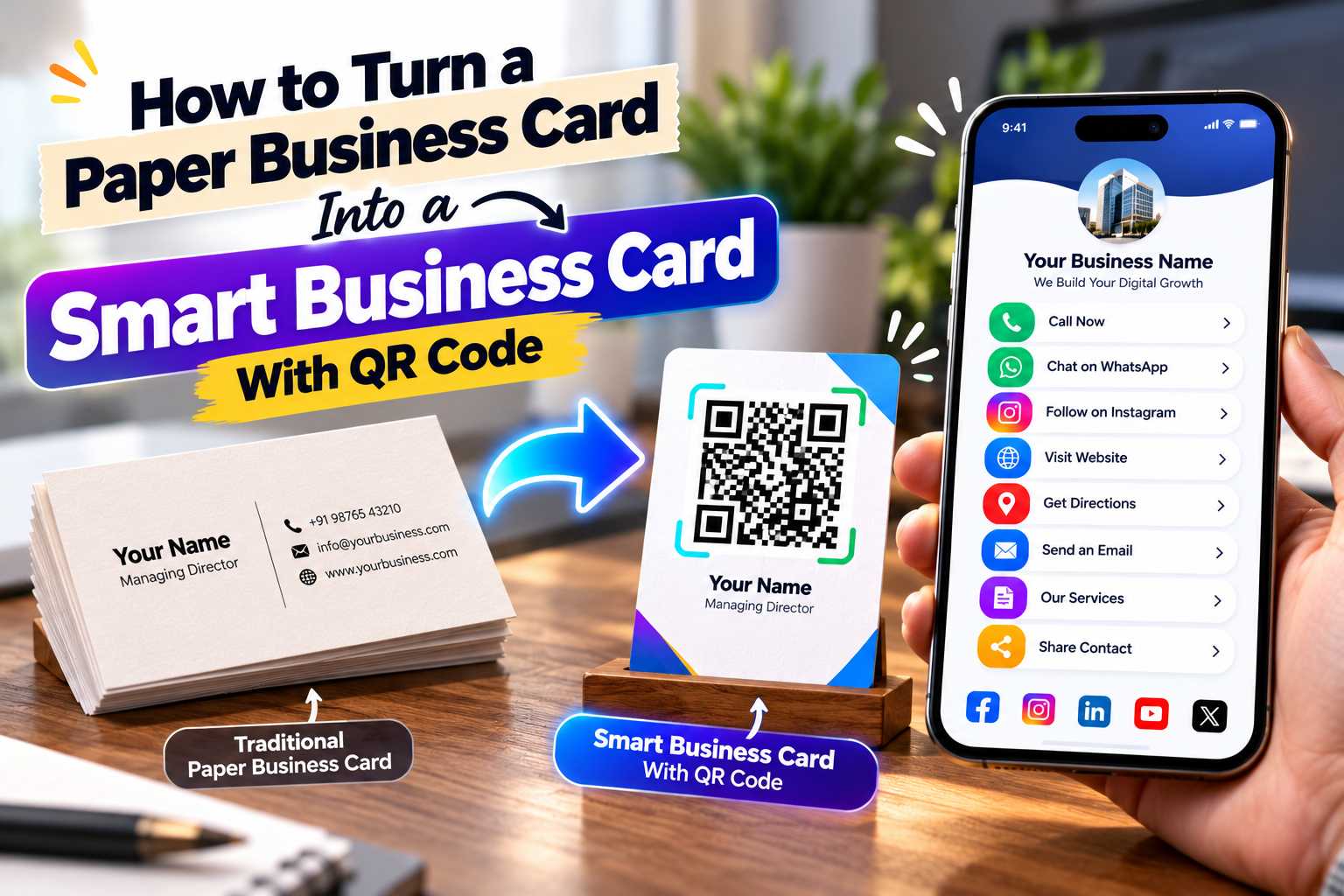
A multi-link QR code generator allows businesses to connect one QR code with several important destinations such as WhatsApp, websites, Instagram, Facebook, Google Maps, product catalogues, portfolios and contact details. Instead of printing separate QR codes for every platform, businesses can give customers one simple code that opens a mobile-friendly page containing all their important links.
The best multi-link QR code generator should do more than create a basic QR image. It should help businesses organize multiple links, present them clearly on mobile devices, update information easily and provide customers with a smooth experience after scanning. This guide explains what a multi-link QR code is, how it works, which features to look for and how small businesses can use one QR code to connect customers with their complete digital presence.
Best Multi-Link QR Code Generator for Business
A multi-link QR code generator allows one QR code to open a digital page containing several links instead of directing the user to only one destination. This can be useful for businesses that want to share WhatsApp, website, Instagram, Facebook, Google Maps, email and other important information without creating separate QR codes.
When a customer scans the code, the QR code opens a mobile-friendly profile or landing page. From there, the customer can select the action they want to take.
For example, one customer may open WhatsApp to ask about a product, while another may visit the website, check Instagram or view the store location on Maps.
This makes a multi-link QR code useful for businesses that communicate across several digital channels.
How Does a Multi-Link QR Code Work?
A normal QR code may point directly to one URL. A multi-link QR code usually points to one central digital profile containing multiple buttons or destinations.
Instead of encoding every website and contact method separately, the QR code becomes the single entry point.
Points
After scanning, users may see buttons such as:
Call Us
WhatsApp
Visit Website
View Instagram
Open Facebook
View LinkedIn
Watch on YouTube
Find Us on Google Maps
View Products
View Services
Book Appointment
Leave a Review
Send Email
One QR Code Can Replace Multiple Separate Codes
Using separate QR codes for WhatsApp, websites, social media and Maps can make brochures, posters and business cards look crowded.
A multi-link QR code keeps the design cleaner because customers only need to scan one code.
The digital profile behind the QR code can then present all relevant options in a clear and organized way.
Customers Use Different Digital Channels
Not every customer prefers the same way of contacting a business. Some customers may prefer WhatsApp, while others may want to call, visit the website or explore social media before making an enquiry.
A multi-link QR code allows businesses to support these different preferences from one place.
Instead of deciding which single destination every customer should use, the business can give users several choices after scanning.
Reduce Customer Effort
Customers should not have to manually search for a business on Instagram, type a website address or save a phone number before contacting the company.
A multi-link QR code reduces these steps.
The customer scans once and chooses the required action.
This can make the journey between discovering a business and contacting it more convenient.
Keep Marketing Materials Cleaner
Printed materials have limited space. Adding several QR codes, URLs and social media usernames can make the design difficult to understand.
One QR code can reduce visual clutter while still giving customers access to multiple digital platforms.
This is especially useful for visiting cards, brochures, posters, packaging and store displays.
Connect Your Most Important Business Channels
The best multi-link QR code profile should include the links customers are most likely to need.
A local store may prioritize WhatsApp, Maps and Instagram, while a consultant may focus on LinkedIn, website, email and appointment booking.
The goal is not to add every possible online account. Instead, add the links that help customers understand, contact or visit your business.
Points
You can include:
Phone number
WhatsApp
Email
Official website
Instagram
Facebook
LinkedIn
YouTube
Google Maps
Business address
Product catalogue
Service page
Portfolio
Booking link
Appointment page
Customer reviews
Enquiry form
Payment page
Downloadable brochure
Menu
Social media profiles
Can WhatsApp, Instagram and Website Be Added Together?
Yes. WhatsApp, Instagram and a business website are among the most useful links to combine in one QR profile.
A customer can scan once and choose whether they want to contact the business directly, view recent social media content or explore more detailed information on the official website.
This gives customers more control over how they interact with the business.
1. Multiple Links Under One QR Code
The most important feature is the ability to organize several links behind one QR code.
The digital profile should support useful business destinations such as WhatsApp, websites, social media, Maps, email and product or service pages.
The user should not need to create multiple codes for different platforms.
2. Mobile-Friendly Profile
Most people scanning a QR code will be using a smartphone. The page behind the QR code should therefore be designed for mobile devices.
Buttons should be easy to tap, text should be readable and important actions should be visible without complicated navigation.
A multi-link QR code is only useful when the destination page is easy to use.
3. Editable Business Information
Businesses may need to change phone numbers, website links, social media profiles or service information over time.
A useful multi-link QR platform should allow businesses to manage or update the information displayed on the digital profile where supported.
This can reduce the need to create new QR codes every time a business detail changes.
4. QR Code Download for Printing
Businesses should be able to download a clear QR code suitable for use on visiting cards, posters, brochures, packaging and other marketing materials.
The QR code should remain sharp when printed and should be easy to test before final production.
5. Business Branding
A multi-link profile should allow the business identity to remain clear.
Useful branding elements may include:
Business logo
Profile image
Company name
Business description
Brand colors where supported
Clear button labels
Professional layout
A recognizable profile can give customers confidence that they have opened the correct business page.
Choose Based on Customer Needs, Not Only Design
A QR generator may look attractive but still be unsuitable if it does not support the actions your customers need.
Before choosing a platform, think about how customers normally contact or research your business.
A restaurant may need menu, Maps and reviews. A retail business may prioritize WhatsApp, Instagram and product links. A consultant may require LinkedIn, website, email and appointment booking.
Check Whether Important Links Are Supported
Make a list of the platforms your business actively uses.
Then check whether the multi-link QR solution allows you to organize those links clearly.
Points
Important options may include:
WhatsApp
Phone
Email
Website
Instagram
Facebook
LinkedIn
YouTube
Maps
Reviews
Products
Services
Portfolio
Booking
Enquiry links
Check Whether the Profile Is Easy to Update
Business information can change. If your website, social profile or contact number changes, you should be able to keep your customer-facing information accurate.
An editable business profile can be more practical than a QR code that contains fixed information directly.
Check the Complete Customer Experience
Do not evaluate only the QR image.
Scan the code and review the complete journey from the customer's perspective.
The page should load quickly, show the correct business identity and make important actions easy to understand.
Step 1: Collect Your Business Links
Start by gathering all the important URLs and contact details that you want customers to access.
Check that every link is current and leads to the correct destination.
Points
Prepare:
Business phone number
WhatsApp link
Website
Instagram
Facebook
LinkedIn
YouTube
Google Maps
Review page
Product links
Service links
Portfolio
Booking link
Step 2: Create Your Digital Business Profile
Create a mobile-friendly profile and add your business name, logo, contact information and relevant links.
Organize the page according to customer importance.
For example, if WhatsApp generates most of your enquiries, place it near the top. If your business depends on physical visits, make the Maps link easy to find.
Step 3: Generate One QR Code
Once the profile is complete, generate a QR code that points to the digital profile.
This code becomes the single access point for all the links included on the page.
Step 4: Test the QR Code
Scan the QR code using different smartphones where possible.
Confirm that the profile opens correctly and then test every important action.
Make sure WhatsApp opens the correct number, Maps shows the right location and social media links lead to the correct accounts.
Step 5: Add the QR Code to Marketing Materials
After testing, the QR code can be added to your business cards, brochures, posters, product packaging, shop displays and other customer-facing materials.
Always keep enough clear space around the QR code and use a sharp image for printing.
Use One QR Code Across Different Marketing Materials
One of the main advantages of a multi-link QR code is flexibility. The same code can be used across several physical and digital touchpoints.
Customers can scan it whenever they need additional business information.
Points
You can use it on:
Visiting cards
Digital business cards
Posters
Flyers
Brochures
Banners
Product packaging
Product labels
Shop counters
Reception desks
Restaurant tables
Menus
Invoices
Exhibition stalls
Event materials
Product catalogues
Appointment cards
Service vehicles
Thank-you cards
Email signatures
Add a Clear Call to Action
A QR code should tell customers why they should scan it.
Add a short instruction that matches the content behind the code.
Points
Examples include:
Scan for All Our Links
Scan to Connect With Us
Scan Our Digital Business Card
Scan to Call, WhatsApp & Visit Our Website
One Scan. All Our Business Details.
Scan to Explore Our Business
Different Businesses Can Use One QR Code Differently
Multi-link QR codes can be customized for different industries. Each business should prioritize the actions that matter most to its customers.
Points
Retail Stores:
Share WhatsApp, website, Instagram, product catalogue, Maps and customer reviews.
Restaurants and Cafes:
Connect customers with menus, Maps, reservations, Instagram, WhatsApp and reviews.
Salons and Beauty Businesses:
Provide WhatsApp, appointment links, services, Instagram and location.
Hotels and Homestays:
Share booking links, phone numbers, WhatsApp, website, Maps and reviews.
Freelancers:
Combine portfolio, website, email, LinkedIn, WhatsApp and other professional information.
Consultants:
Share LinkedIn, website, appointment booking, email and contact details.
Real Estate Professionals:
Provide calls, WhatsApp, property listings, website and professional profiles.
Photographers and Designers:
Connect customers to portfolios, Instagram, website and enquiry options.
Service Businesses:
Share phone, WhatsApp, service details, website, service area and reviews.
Useful for Both Offline and Online Marketing
A multi-link QR code is not limited to printed marketing.
Businesses can also share the underlying digital profile URL through WhatsApp, email, social media bios and other online channels.
This means one profile can support both physical and digital customer communication.
What Is a Static QR Code?
A static QR code normally contains fixed information or links directly to one destination.
It can work well when the content is permanent, such as a website address that is unlikely to change.
However, it may be less suitable when you want customers to access several different platforms.
What Is a Multi-Link QR Code?
A multi-link QR code usually opens a central digital profile containing several destinations.
The user scans once and chooses the link they need.
This makes it more suitable for businesses that use several communication and marketing channels.
Which Is Better for Businesses?
A basic static QR code can be enough when you only need one permanent destination.
A multi-link QR code is generally more useful when you want to combine WhatsApp, websites, social media, Maps, products and other links under one scannable experience.
The right choice depends on how much information your business needs to share.
Make the QR Code and Digital Profile Easy to Use
A multi-link QR code should simplify customer communication. Poor design, broken links or too many unnecessary options can make the experience confusing.
Test both the physical QR code and the digital profile before sharing it publicly.
Points
Avoid:
QR codes that are too small
Blurry QR images
Poor contrast
Too many unnecessary links
Broken website URLs
Wrong WhatsApp numbers
Outdated social profiles
Incorrect Maps locations
Slow mobile pages
Confusing button names
No business logo or identity
No call to action
Printing without testing
Placing the QR code on a busy background
Do Not Add Every Link Just Because You Can
A multi-link QR profile should remain focused.
Adding inactive accounts or irrelevant links can distract customers from the actions that matter.
Prioritize active communication channels, official business pages and useful customer information.
Create a Consistent Digital Business Presence
Your multi-link profile should display accurate business information that matches your official website and other important online profiles.
Keep your business name, phone number, website and location consistent.
This helps customers identify the correct business when they move between different platforms.
AEO-Friendly Information
Customers often want immediate answers after scanning.
A clear multi-link profile can answer practical questions such as:
How can I contact this business?
Does this business have WhatsApp?
What is the official website?
Where is the business located?
Does the business have Instagram?
How can I view products or services?
How can I book an appointment?
Using clear button labels makes these answers easier to find.
GEO-Friendly Local Information
If your business operates from a physical location or serves customers in a specific area, include accurate geographic details.
Add the correct business address and Maps link where relevant.
Local businesses should avoid adding unrelated cities only for keyword targeting. Geographic information should represent the real business location or genuine service area.